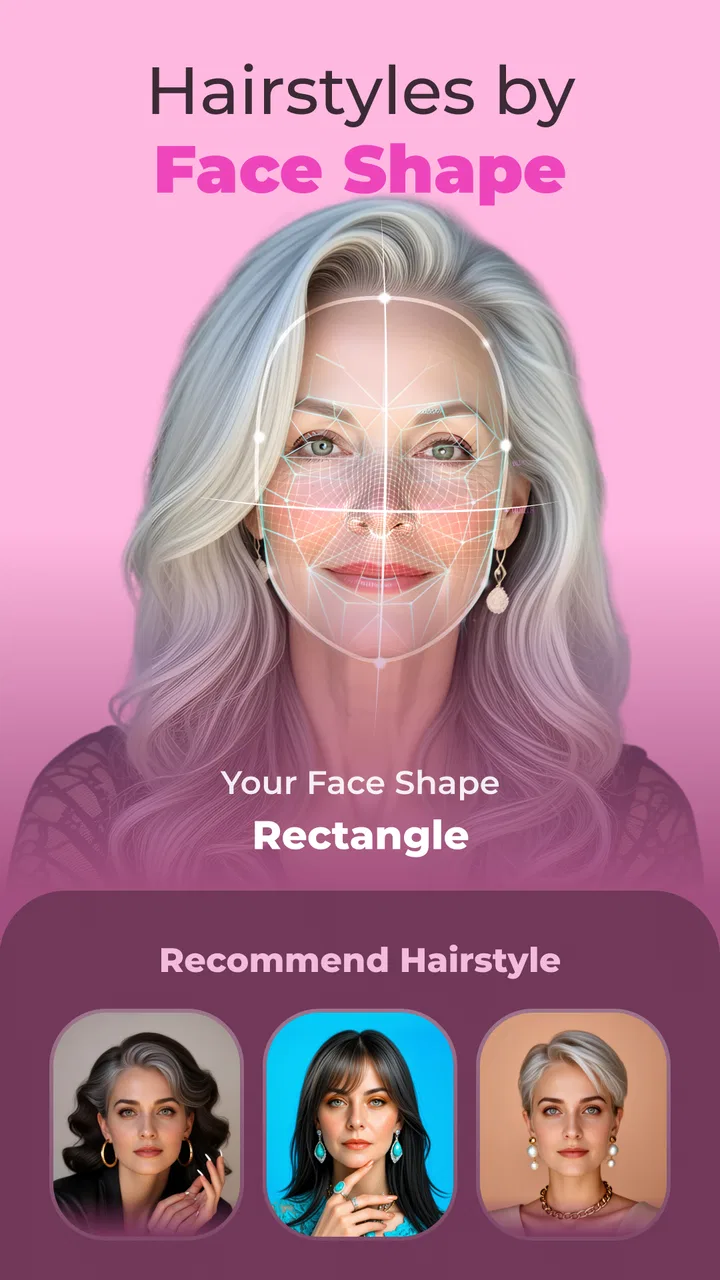
Beautify: AI Hairstyle Try On
- 3.7
- Rating
- 100.00K
- Installs
- Free
- Price

 Analysis by App-foxy
I tried Beautify: AI Hairstyle Try On as someone who wanted a quick way to explore a different look before making a real appointment. The appeal is easy to understand: instead of relying on memory, imagination, or a saved photo of a celebrity, I could use my own face as the starting point and see how a hairstyle or hair color might suit me. That makes this beauty app from IdeaLabs more useful as a visual planning tool than as a simple novelty.
My overall impression is positive but measured. The app is free to install, aimed at everyone, and its basic idea is approachable even if you have never used an AI image editor. At the same time, an edited preview is still an interpretation, not a promise of what a stylist can create. The most sensible way to use Beautify is as a conversation starter, not as a final decision-maker.
From an everyday photo to a hairstyle decision
The most realistic starting point is a familiar situation: I have a haircut coming up, I am bored with my current color, or I keep switching between two ideas and cannot picture either one on myself. In that moment, Beautify: AI Hairstyle Try On is more convenient than searching through dozens of images online. Those examples may show attractive cuts, but they rarely answer the question that matters: how will this general shape look with my face, hairline, and usual style?
You May Also Like

 Blood Strike: 2.5 Anniversary
Blood Strike’s Loadouts Turn Every Drop Into a Tactical Gamble
A close look at Blood Strike’s custom loadouts: how fast access to signature weapons reshapes its battle royale rhythm, rewards preparation, and narrows the gap between fights.

 Pandora - Music & Podcasts
Pandora’s Music Is Easy to Start, but Harder to Recover
Pandora’s strength is its low-effort path from a seed to a station. Its weak spot is how much confidence it asks you to place in connection, setup, and quiet recovery.

 8 Ball Pool
 Is Built on Rivalries, Rematches, and Routine
A close look at the rivalries, rematches, shared routines, and unanswered safety questions that turn a quick pool match into a persistent mobile community.

 Samsung Music
’s Quiet Strength Is Playing What You Already Own
Its reach comes less from spectacle than from dependable access to a personal library. That simplicity is both the app’s strongest retention engine and its ceiling.

 AccuWeather: Weather Radar
AccuWeather Review: A Quick, Clear Forecast for Everyday Decisions
For everyday plans, the best forecast is the one you can understand quickly. AccuWeather makes rain timing, radar, and local conditions easy to act on, with a few trade-offs.

 Hill Climb Racing
Why Hill Climb Racing Still Turns Crashes Into One More Run
A tiny car, a bumpy hill and one more upgrade: Hill Climb Racing keeps resurfacing because its simple chaos makes every near-miss feel personal.
More From Our News Desk



I would begin with a clear, front-facing photo in even light. That is not a special requirement I am claiming the app advertises; it is simply the practical way to give any visual try-on tool a better starting point. A face partly hidden by sunglasses, a heavy filter, or a large hat gives the system less to work with. A recent image also avoids the awkward situation of previewing a style on a version of me that no longer resembles my current hair.
The app’s store summary focuses on trying hairstyles and changing hair color with AI, while its short description is simply “Beautify.” In practice, that positioning tells me where its value lies: fast visual experimentation. I would not open it expecting a complete salon consultation, detailed hair-care education, or professional color formulation. I would open it when I need a quick visual answer before taking the next step elsewhere.
The first pass: choosing a useful starting image
After opening the app, I would keep the first test deliberately simple. Rather than immediately trying an extreme transformation, I would compare something close to my current length with one noticeably different option. This creates a reference point. If the original-looking result already changes the apparent outline of my face, I know to treat more dramatic previews as broad inspiration rather than precise guidance.
This is one of the less obvious ways to get more value from an AI hairstyle app: do not judge every result in isolation. Keep the same source photo while testing several ideas. The face, camera angle, and expression stay constant, so the differences are easier to notice. If I change the photo every time, I may mistake lighting or posture for the effect of the hairstyle.
I would also inspect the edges around the forehead, ears, and neck instead of looking only at the center of the image. Those areas reveal whether the preview feels convincing. A style can look attractive at a glance while the hairline or side profile feels less natural. That does not make the image useless, but it changes how much confidence I should place in it.
Moving from shape to color
Once I have a few hairstyle ideas, I would handle color separately. Changing the cut and the color at the same time makes it difficult to understand what I actually like. A better workflow is to settle on a general length or silhouette first, then test warmer, cooler, lighter, or darker directions on that basis.
This separation is especially helpful for a person preparing for a salon visit. I could save one image that answers “what shape am I considering?” and another that answers “what color family interests me?” Showing those as two separate questions gives a stylist more useful information than presenting one dramatic composite and saying that I want exactly that result.
Color previews also need a little restraint. Screen display, indoor lighting, and the existing condition of my hair can all affect how a shade looks in real life. I would use the app to decide whether I am leaning toward a darker brunette, a lighter appearance, or a more noticeable change, then ask a professional about the actual process. The preview cannot replace a discussion about maintenance, previous dye, texture, or whether a particular shade is practical.
What happens when the image becomes a handoff
The important handoff is from the app to another person. Beautify can help me turn a vague sentence such as “I want something fresher” into a visual reference. That is a genuine strength. A stylist can react to an image, explain which parts are realistic, and suggest adjustments for my hair rather than guessing what I meant.
I would not hand over only one image, though. I would keep a small set of contrasting results: one safe option, one more adventurous option, and perhaps one color direction. This gives the stylist room to identify the common feature I like. Maybe the real preference is face-framing layers, not the exact length; perhaps it is a softer tone rather than the particular shade shown by the app.
Another useful handoff is personal decision-making. If I am considering a major change, I could show the previews to someone whose opinion I trust, but I would treat their reaction as feedback rather than permission. The app makes experimentation private and low-pressure, which is useful for people who feel self-conscious about asking for a dramatic cut before they know whether they like the idea.
Where Beautify fits beside ordinary alternatives
The usual alternative is browsing image search, salon galleries, or social media. Those sources are better for learning the vocabulary of a look and seeing how a style behaves across different people. Beautify is better at answering the personal question because the preview begins with my own face. The trade-off is that a gallery usually shows real finished hair, while an AI result may be smoother, more uniform, or less representative of daily upkeep.
Another alternative is trying on a wig or using a physical consultation. Those options can reveal volume, movement, and proportions more honestly, but they take more time and may not be available before I make a decision. Beautify wins on speed and convenience. It loses when I need to understand texture, weight, styling effort, or how a cut looks from every angle.
Traditional photo-editing tools offer more manual control, but they demand more patience and skill. I would choose them when I need to adjust a specific detail myself. For a quick first impression, the AI approach is less demanding. That convenience is also its limitation: I am accepting the app’s interpretation rather than shaping every strand or boundary by hand.
How convincing is the outcome?
The result is most useful when I read it as a direction. It can help me notice that a shorter outline makes my face feel more open, that a certain color changes the mood of the photo, or that I prefer a softer frame around the cheeks. Those observations can be surprisingly valuable because they turn an abstract wish into something I can compare.
I would be cautious about judging technical accuracy from one attractive image. Hair is complicated: curls, flyaways, layers, highlights, and natural shadows do not always translate cleanly in a generated preview. If the hair blends into the background or the face looks slightly altered, I would not treat that as evidence that the real hairstyle will be wrong. I would simply use the image at a broader level.
A practical test is whether the result helps me make a decision I could not make before opening the app. If I still feel equally uncertain after trying several options, the next step may be a stylist’s advice rather than more previews. If I can now describe the cut, color direction, and degree of change I want, the app has done its job even if the image is not salon-perfect.
Small workflow choices that make a difference
I found that the order of experimentation matters. I would first compare familiar and unfamiliar lengths, then narrow the shape, then explore color. This avoids spending time on shades attached to a cut I would never actually choose. It also makes the final handoff clearer because I can explain which part of the preview matters most.
I would keep the original photo beside every edited result. That simple comparison prevents the common mistake of getting carried away by a polished image. Looking back at the starting condition helps me ask whether the change is realistic for my routine. A style that looks appealing in a still picture may require daily heat styling, frequent trims, or a level of maintenance I do not want.
For a more honest comparison, I would test ideas that reflect my real life. If I normally part my hair to one side, wear glasses, or leave home with minimal styling, I would not base my decision on a preview that assumes a completely different presentation. The app can show possibility, but I still need to filter that possibility through my habits.
I would also avoid making a major decision immediately after seeing one striking result. Save the image, look at it later, and compare it with a more conservative version. That pause is valuable because novelty can feel like improvement for a few minutes. Beautify is strongest when it supports reflection rather than rushing me toward a change.
Important friction before relying on it
The first limitation is the gap between a generated image and physical hair. The app can suggest a visual direction, but it cannot make my hair grow, change its natural density, or guarantee that a color will appear the same after a real treatment. Anyone with a very specific technical concern should use the preview to start a professional conversation, not to settle it.
The second limitation is that the experience may be less useful when the source image is difficult to interpret. A side-facing pose, low light, busy background, or hair covering much of the face can make comparisons harder. If the first result looks strange, I would try a simpler photo before deciding that the whole app is unsuitable.
There is also a financial boundary to keep in mind. The app is free to download, but individual in-app purchases range from $9.99 to $39.99. I would explore the free experience first and decide whether the results are genuinely helping my choice before paying for anything. That is particularly important if I only need one haircut idea rather than an ongoing beauty tool.
Because this is an app for everyone, it is approachable for casual experimentation, including a quick style discussion with family or friends. That broad age positioning does not mean every result will be equally relevant to every person. Someone seeking professional correction advice, a detailed consultation, or a realistic preview of complex color work should look beyond an AI try-on.
Who will get the most from it?
I think Beautify is a good match for someone who is undecided, visually minded, and willing to treat generated images as references. It is especially practical before a routine appointment, when I want to compare a few ideas without spending an hour searching through unrelated examples. It can also help a person who knows they want a change but has trouble explaining the change in words.
It is less suitable for someone who expects exact simulation. If my decision depends on precise curl behavior, detailed color matching, or the amount of styling required each morning, I would choose a real consultation or physical try-on where possible. The app can narrow the conversation, but it cannot answer every practical question about living with a hairstyle.
I would also skip it if I am looking only for general beauty advice rather than a visual hairstyle experiment. Its appeal is concentrated: it helps me see possible hair changes on a personal image. That focus is useful, but it means the app should not be judged as though it were a complete salon-management or hair-care platform.
What the current release tells me
The app is currently at version 1.2.0 and requires Android 7.0 or later. That makes it accessible to many Android users with older devices, although the quality of any AI image experience can still depend on the phone, camera, and connection conditions I use. I would keep the original image available so I can repeat a test if a result does not process cleanly.
IdeaLabs has positioned the product in the beauty category, and its audience response is mixed rather than universally enthusiastic. It holds a 3.7 average from over 700 ratings, with more than 30 written reviews, and has passed 100 thousand installs. I read that as a sign of real interest with room for improvement, not as a reason to dismiss it or assume it will satisfy everyone.
That middle-ground reputation matches my own approach. The concept is genuinely handy, especially when I need a visual starting point, but the value depends on how carefully I choose the photo and how realistically I interpret the output. A person who expects magic will probably be disappointed; a person who wants a fast comparison tool may find it worthwhile.
My final recommendation after the full workflow
From the first photo to the final salon conversation, Beautify: AI Hairstyle Try On works best as the first stage of a decision, not the last. I would use it to identify a shape I like, separate that choice from color, compare a few consistent previews, and carry the strongest references to a stylist. That workflow turns a vague impulse into a more useful discussion.
The app’s biggest strength is personal context. Instead of admiring someone else’s haircut, I can explore how a direction might feel on my own face. Its biggest weakness is the same one shared by most AI previews: the image can look more certain and polished than the real-world result will be. Keeping that distinction in mind prevents disappointment.
For a free beauty app with optional purchases, I consider it worth trying if I am curious about a new hairstyle and want an immediate visual aid. I would not pay for more experimentation until the basic results have helped me make a clearer choice. If that happens, the app has earned its place in my preparation routine; if not, a stylist, wig, or real-world gallery will be the better next step.
FAQs for Beautify: AI Hairstyle Try On
01What is Beautify: AI Hairstyle Try On and how does it work?
Beautify: AI Hairstyle Try On is an innovative app that allows users to experiment with different hairstyles using augmented reality and AI technology. By utilizing your device's camera, the app superimposes various hairstyles onto your image in real-time, providing an accurate preview of what each style would look like on you. This helps users make informed decisions about their next haircut or style change.
02Is Beautify: AI Hairstyle Try On free to use?
Beautify offers a free version with basic features, allowing users to try on a limited number of styles. However, for access to the full range of hairstyles, personalized recommendations, and advanced features, users can opt for a premium subscription. The app may also offer in-app purchases for exclusive hairstyles and features.
03What devices are compatible with Beautify: AI Hairstyle Try On?
The app is available for both Android and iOS devices. It's designed to work seamlessly on smartphones and tablets that have a functioning front-facing camera. For the best experience, ensure your device software is up-to-date and meets the app’s minimum system requirements, which are usually specified on the app store listing.
04Can Beautify: AI Hairstyle Try On be used for professional hair consultations?
While Beautify is primarily designed for personal use, its realistic AI technology can make it a helpful tool for professional hair consultations. Hairdressers and stylists can use the app to show clients potential styles during consultations. However, it should be noted that lighting and angle can affect the accuracy of the hairstyle previews.
05Is user data safe with Beautify: AI Hairstyle Try On?
Beautify takes user privacy seriously, implementing robust data protection measures. The app requires access to your camera and photos to function, but it does not store or share images without consent. Users can review the privacy policy for detailed information on how data is handled, ensuring transparency and security.
Pros
- Easy to use interface for all ages.
- Realistic AI-generated hairstyles.
- Wide variety of styles and colors.
- Quick loading times for previews.
- No account needed for basic features.
Cons
- Limited free options available.
- In-app purchases can be pricey.
- Some styles require internet connection.
- Occasional ads disrupt experience.
- Lacks detailed style customization.

Beautify: AI Hairstyle Try On
Gallery